
Logo designers play a key role in shaping a brand’s identity, but creativity alone is not enough to run a successful design business. You also need a professional invoicing process that ensures you get paid fairly and on time. Whether you work as a freelancer or as part of a small design studio, having a clear and well-structured invoice for logo design helps protect your work, set expectations, and maintain healthy client relationships.
This guide explains everything you need to know about creating your own logo design invoice, from essential components to best practices that help you build a consistent and reliable billing system.
What Is a Logo Design Invoice?
A logo design invoice is a formal billing document that summarizes the services you provided, how much they cost, and the payment terms you expect the client to follow. It acts as a professional record of your design project and outlines key details such as the type of logo created, revision rounds, additional services, or rights granted. Unlike a general invoice, an invoice for logo design often includes creative-specific notes that help clients understand what they are paying for.
A clear and detailed invoice helps prevent miscommunication by documenting the scope of work, deadlines, and any associated deliverables such as source files, variations, or brand guidelines.
Key Elements of a Logo Design Invoice
A complete invoice for logo design typically includes your business information, the client’s details, a unique invoice number, the invoice date, a description of the design services, pricing, revision details, rights or usage fees, taxes, and the total amount due. Payment terms should also be written clearly so clients know when and how to pay. These elements help you maintain professionalism and support accurate bookkeeping.
Step-by-Step Guide to Creating Your Own Logo Design Invoice
- Start with your business details. Include your name, logo, website, and contact information.
- Add your client’s information. Use full names and accurate email or billing addresses.
- Assign an invoice number. This helps you track projects and payments.
- Include the invoice date and payment due date. Make timelines clear from the start.
- Describe your logo design service. Note the type of logo, deliverables, and revisions included.
- Provide a pricing breakdown. List flat fees, hourly work, add-ons, or usage rights.
- State your payment terms. Include due dates, accepted payment methods, and late fees if applicable.
- Attach or reference final deliverables. Clients appreciate clarity, especially with digital assets.
- Review before sending. Accuracy reflects professionalism and reduces billing issues.
Best Practices for Logo Design Invoicing
A strong invoice reflects your professionalism as a designer. Always describe your work clearly so clients know exactly what they are paying for. If your project includes multiple concepts or revision rounds, specify those details. Use consistent branding on your invoices to strengthen your identity and create trust. Sending invoices promptly after delivering milestones or final files helps maintain smooth cash flow and shows clients you take your business seriously.
Common Mistakes to Avoid
Some designers forget to outline payment terms or fail to list revisions, which can lead to disputes later on. Others skip adding a unique invoice number, making tracking more difficult. Avoid vague descriptions of design work, unclear pricing, or missing deadlines. A clean and organized invoice helps ensure that clients pay on time and understand the value of your creative work.
How ReliaBills Helps Logo Designers Streamline Invoicing
ReliaBills offers logo designers a simple and efficient way to manage invoicing, payment tracking, and client communication. Instead of manually creating invoices for each project, you can generate polished and professional invoices that include all service details and branding elements. This helps you maintain a consistent and reliable billing process that supports your creative business.
One of the biggest benefits for designers is the recurring billing feature. If you offer add-on services like brand updates, monthly design retainers, or long-term creative support, recurring billing lets you automate your invoices on a schedule. You no longer need to remind clients to pay or recreate the same invoice each month. ReliaBills sends invoices automatically, tracks payments, and follows up with reminders when needed.
With built-in payment reminders, multiple payment options, and real-time tracking, ReliaBills helps logo designers stay focused on designing while maintaining a smooth and predictable revenue stream. Automation reduces admin work, minimizes missed payments, and creates a more professional experience for your clients.
How to Create a New Invoice Using ReliaBills
Creating an invoice using ReliaBills involves the following steps:
Step 1: Login to ReliaBills
- Access your ReliaBills Account using your login credentials. If you don’t have an account, sign up here.

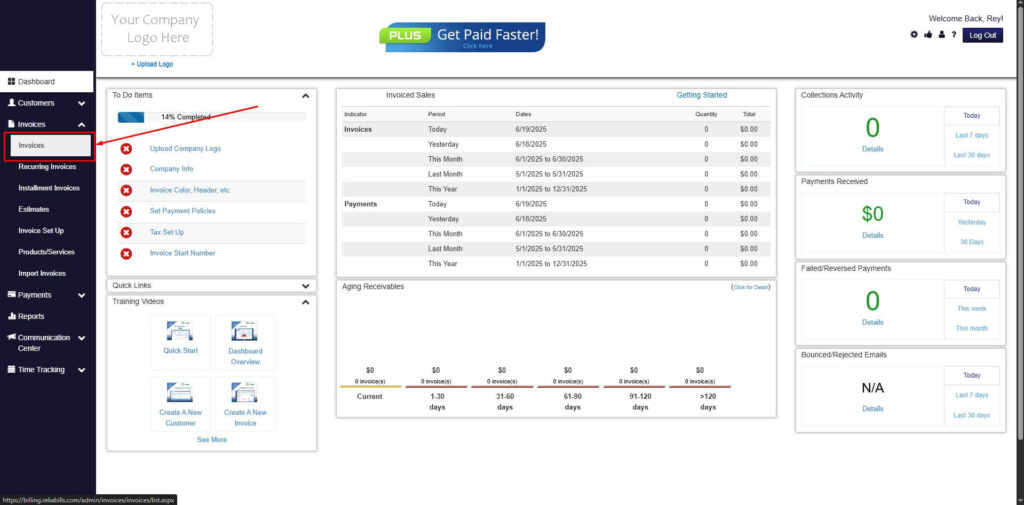
Step 2: Click on Invoices
- Navigate to the Invoices Dropdown and click on Invoices.
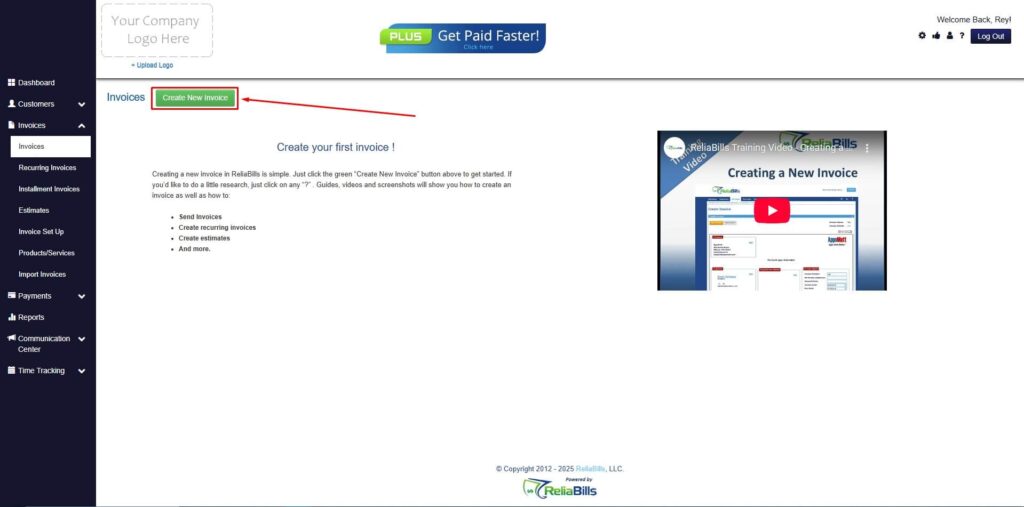
Step 3: Click ‘Create New Invoice’
- Click ‘Create New Invoice’ to proceed.
Step 4: Go to the ‘Customers Tab’
- If you have already created a customer, search for them in the Customers tab and make sure their status is “Active”.

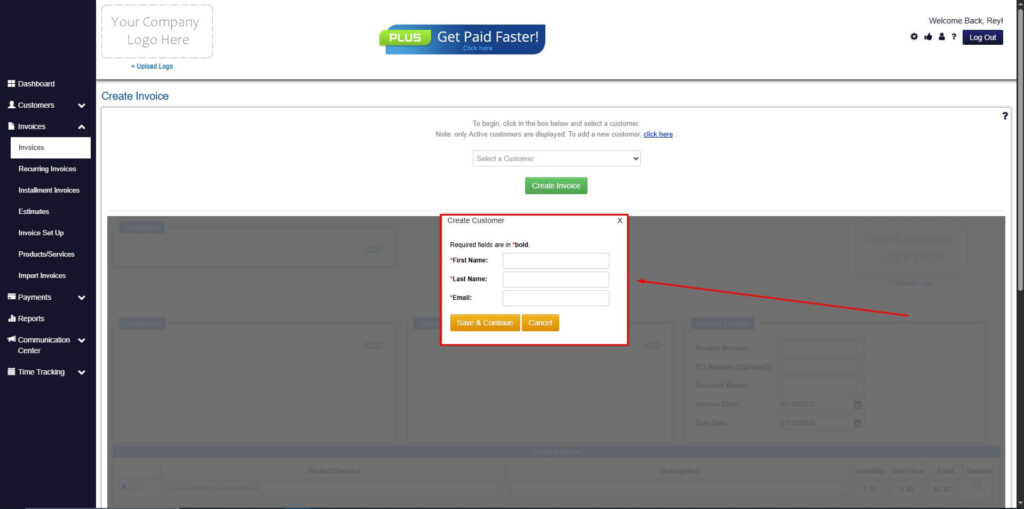
Step 5: Create Customer
- If you haven’t created any customers yet, click the ‘Click here’ to create a new customer.
- Provide the First Name, Last Name, and Email to proceed.
Step 6: Fill in the Create Invoice Form
- Fill in all the necessary fields.
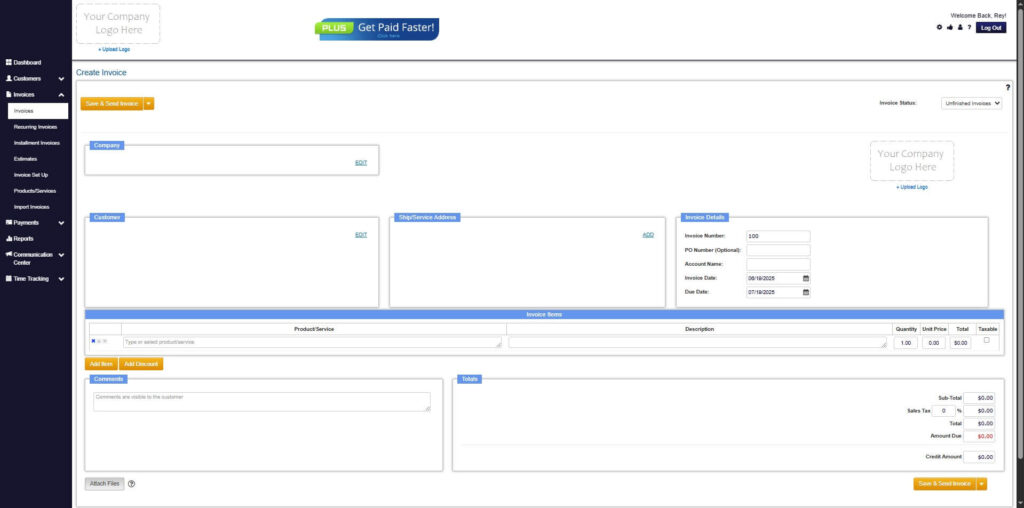
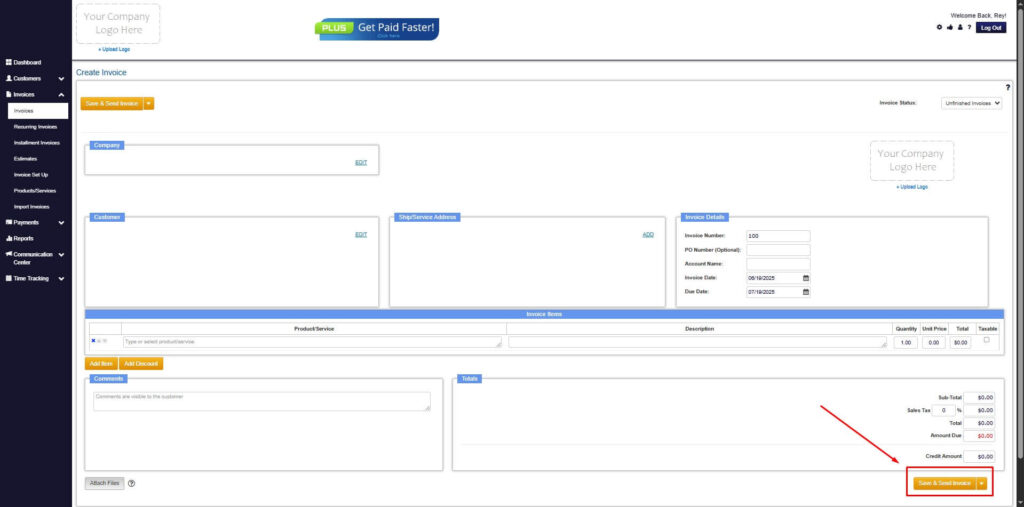
Step 7: Save Invoice
- After filling out the form, click “Save & Send Invoice” to continue.
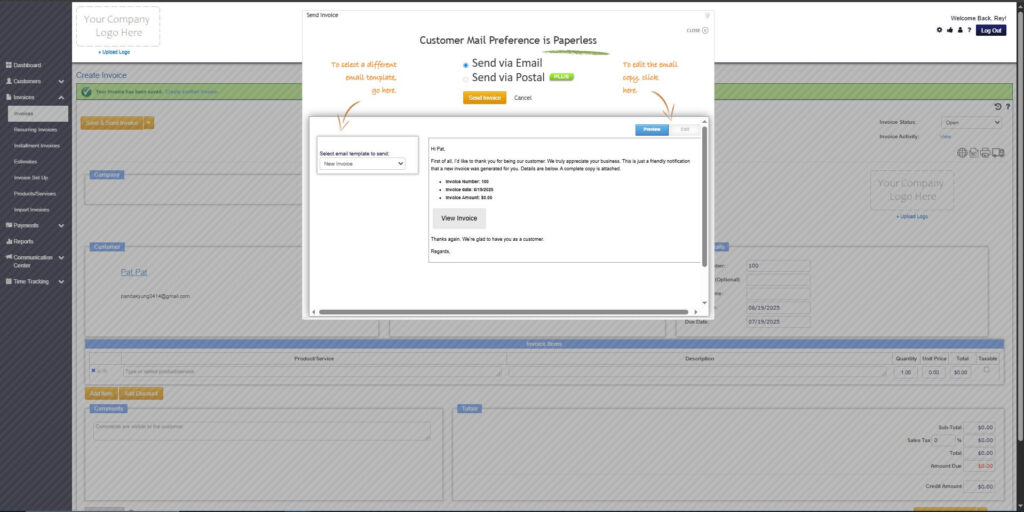
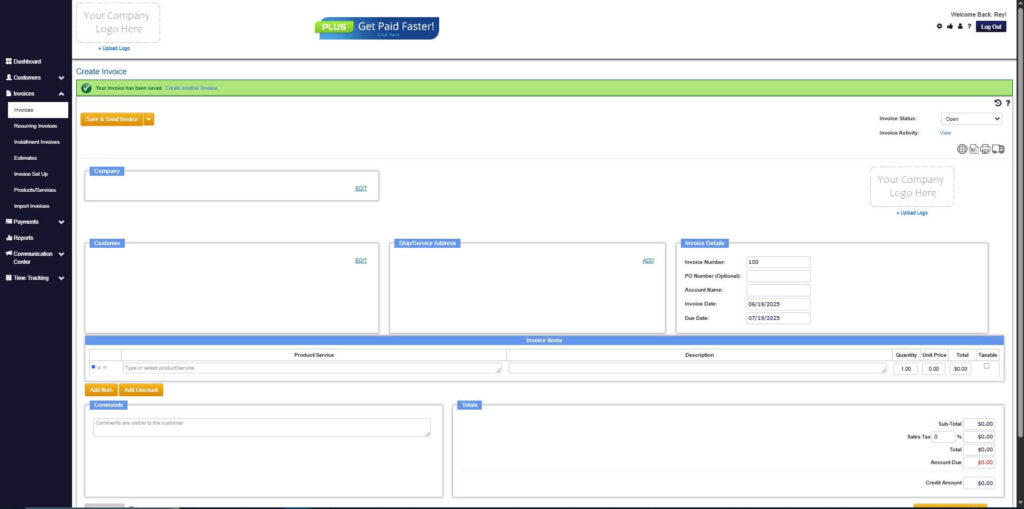
Step 8: Invoice Created
- Your Invoice has been created.
Frequently Asked Questions
1. Do I need to include usage rights in a logo design invoice?
Yes. Clearly stating rights and ownership helps protect your work.
2. Can I invoice before completing the project?
Many designers invoice a deposit upfront and send the remaining invoice after final delivery.
3. What if clients request more revisions?
Specify revision limits in the invoice so you can charge extra when needed.
Conclusion
A well-organized invoice for logo design helps you maintain professionalism, clarify your services, and ensure timely payment. By including the right details, following best practices, and avoiding common mistakes, you can build a smoother and more reliable billing workflow. Using tools like ReliaBills makes the process even easier by automating invoicing, reminders, and recurring payments. With the right system in place, you can focus more on creativity while maintaining strong financial control over your design business.