
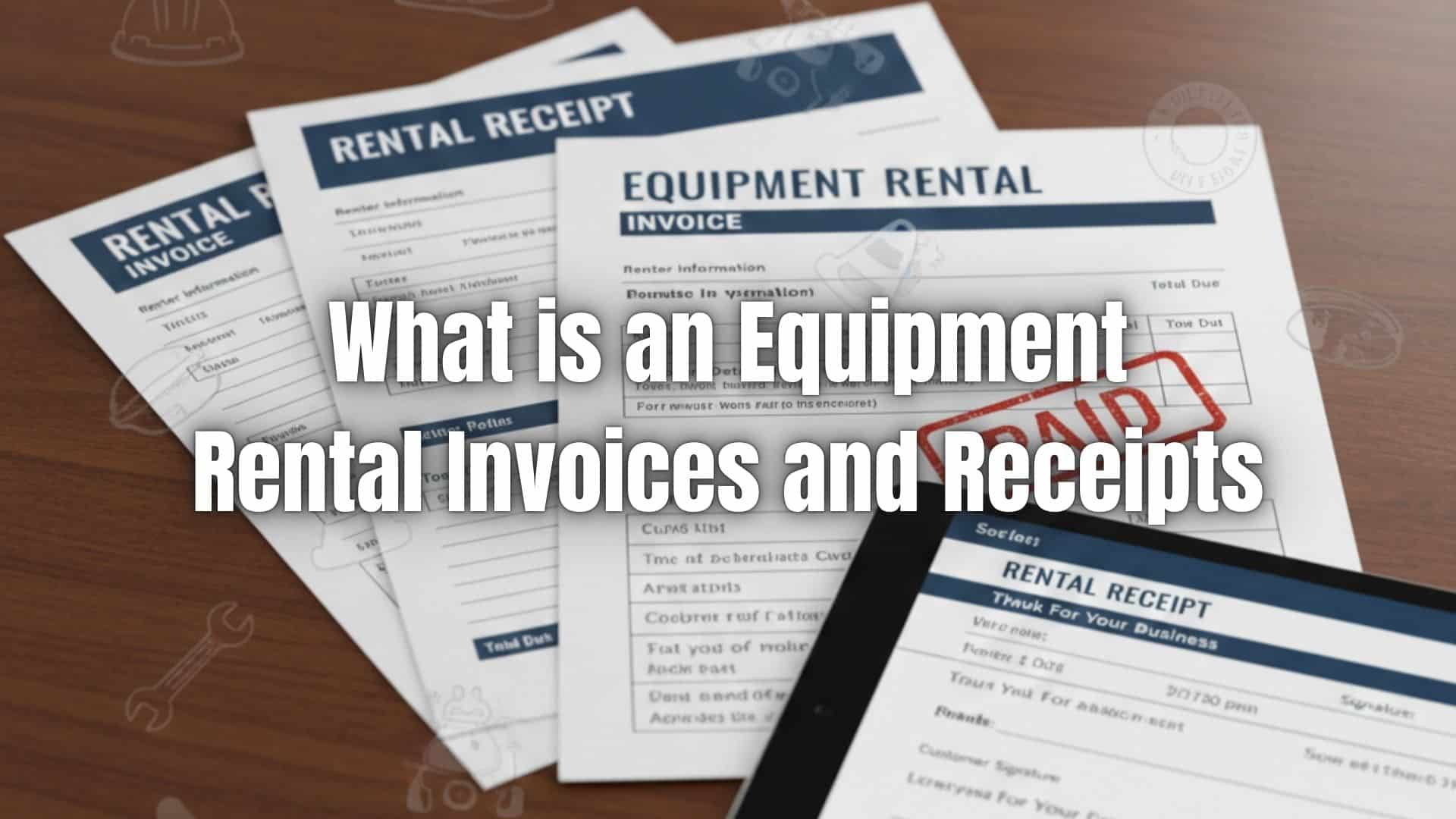
In the equipment rental business, clear documentation is one of the most important parts of running smooth operations. Whether you’re renting out tools, machinery, vehicles, or construction equipment, accurate paperwork helps protect your business, keeps customers informed, and ensures payments come in on time.
Well-made equipment rental invoices and receipts reduce misunderstandings, provide financial protection, and support long-term customer trust. When your billing process is clear and easy to follow, it becomes simpler to track equipment usage, charges, and payments while avoiding disputes.
What Is an Equipment Rental Invoice
An equipment rental invoice is a formal document used to request payment from a renter. It lists the equipment rented, the rental period, applicable fees, and the total amount due. Rental businesses issue this document before or after the rental period, depending on the agreement.
What Is an Equipment Rental Receipt
An equipment rental receipt serves as proof that a payment has been made. While an invoice asks for payment, a receipt confirms that the renter has already paid for part or all of the rental costs.
Invoice vs. Receipt: What’s the Difference
Here is a quick comparison to help distinguish the two:
- An invoice requests payment
- A receipt confirms that payment was received
- Invoices are issued before or during the rental period
- Receipts are issued after a payment or upon equipment return
When Should You Issue an Equipment Rental Invoice
Equipment rental invoices are typically issued in situations like:
- Short-term or daily rentals
- Long-term and monthly rentals
- Equipment with potential damage or cleaning fees
- Rentals requiring delivery, setup, or pick-up
- Jobs involving additional labor or overtime hours
When Should You Issue a Receipt in Equipment Rentals
Receipts are issued when:
- Accepting deposits
- Accepting partial or full payments
- Issuing refunds for security deposits
- Confirming payment after equipment return
What to Include in an Equipment Rental Invoice
A complete equipment rental invoice should include:
- Business information
- Renter information
- Equipment description and serial numbers
- Rental start and end dates
- Daily, weekly, or monthly rates
- Security deposit amount
- Delivery, setup, or pick-up fees
- Damage or cleaning charges
- Taxes
- Total amount due
- Payment terms
What to Include in an Equipment Rental Receipt
A professional rental receipt includes:
- Payment amount
- Payment method
- Payment date
- Remaining balance (if any)
- Deposit refunds
- Confirmation of equipment return
Why Proper Documentation Matters in Equipment Rentals
Accurate invoices and receipts help prevent misunderstandings and protect both your business and your renters. Proper documentation makes it easier to track equipment usage, manage deposits, record maintenance issues, and support any insurance-related claims. It also strengthens accountability when damage or late returns occur.
Common Mistakes to Avoid When Issuing Equipment Rental Invoices and Receipts
Some common billing issues rental companies face include:
- Missing or incorrect serial numbers
- Unclear rental durations
- Not documenting damage or cleaning requirements
- Unclear pricing for add-ons
- Forgetting to record deposits
Avoiding these mistakes helps reduce disputes and ensures smoother transactions.
How Equipment Rental Businesses Can Automate Invoices and Receipts
Automation is a smart move for rental companies that manage multiple clients, long-term rentals, or frequent transactions. Automating invoices and receipts helps reduce manual work, prevents billing errors, and ensures customers receive timely reminders. It also makes it easier to track payments and maintain accurate financial records.
Sample Equipment Rental Invoice Template (Breakdown)
Here’s a simple structure you can use:
- Business name, address, and contact
- Renter name and address
- Invoice number and issue date
- Equipment description and serial numbers
- Rental dates
- Rate and pricing breakdown
- Deposit amount
- Additional fees
- Taxes
- Total amount due
- Payment terms and accepted methods
How ReliaBills Helps With Equipment Rental Invoices and Receipts
ReliaBills gives equipment rental businesses a powerful system to manage billing from start to finish. You can create professional equipment rental invoices in minutes, track payments, and organize rental documents in one place. The ability to attach photos, serial numbers, and rental terms ensures transparency and reduces disputes.
For rental companies handling long-term contracts or recurring rentals, ReliaBills supports recurring billing. This makes it easier to charge customers on a set schedule without manual follow-ups. The system also includes deposit tracking, automated reminders, late fee options, and a secure customer portal where renters can access receipts and transaction history anytime.
With automation, consistent billing, and simple payment links, ReliaBills helps rental businesses get paid faster and operate with greater efficiency.
How to Create a New Recurring Invoice Using ReliaBills
Creating a New Recurring Invoice using ReliaBills involves the following steps:
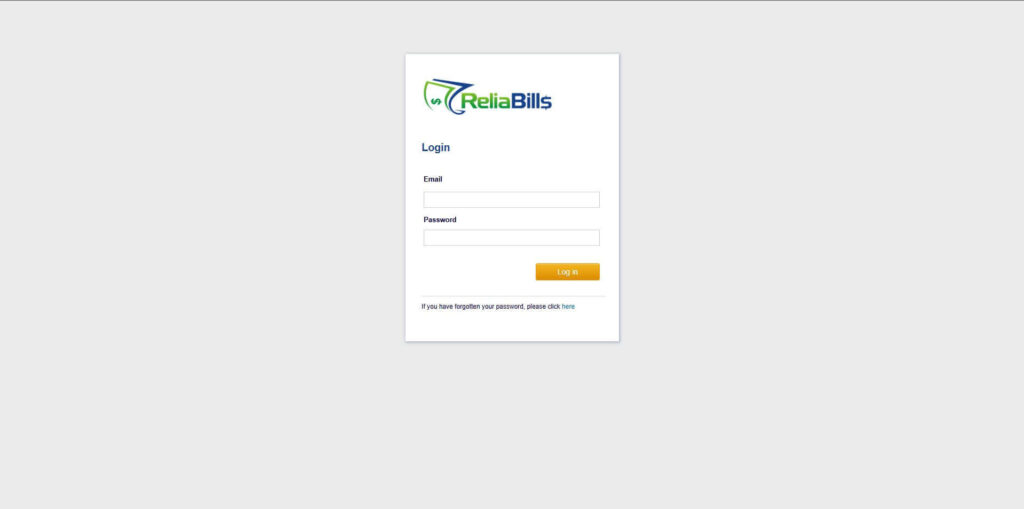
Step 1: Login to ReliaBills
- Access your ReliaBills Account using your login credentials. If you don’t have an account, sign up here.
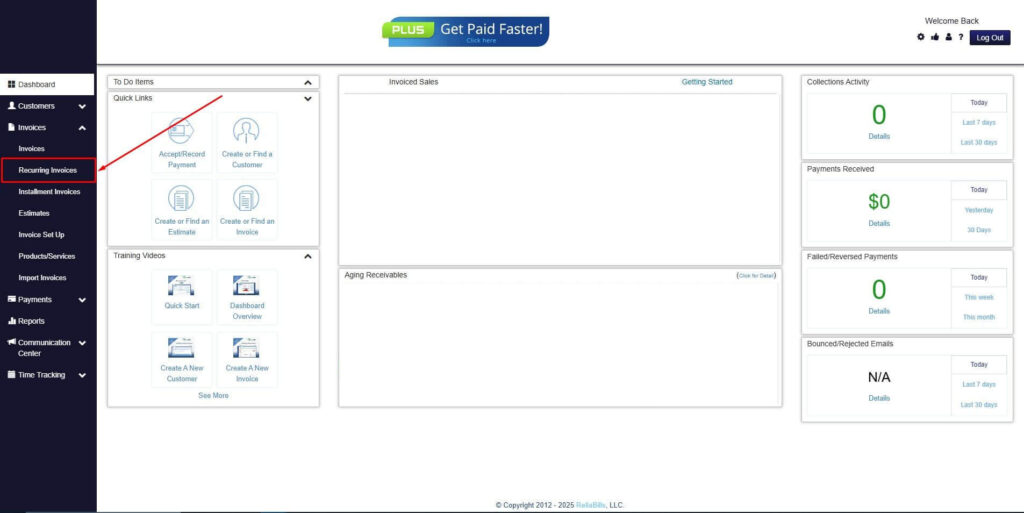
Step 2: Click on Recurring Invoices
- Navigate to the Invoices Dropdown and click on Recurring Invoices for an overview of the list of your existing customers.
Step 3: Go to the Customers Tab
- If you have already created a customer, search for them in the Customers tab and make sure their status is “Active”.
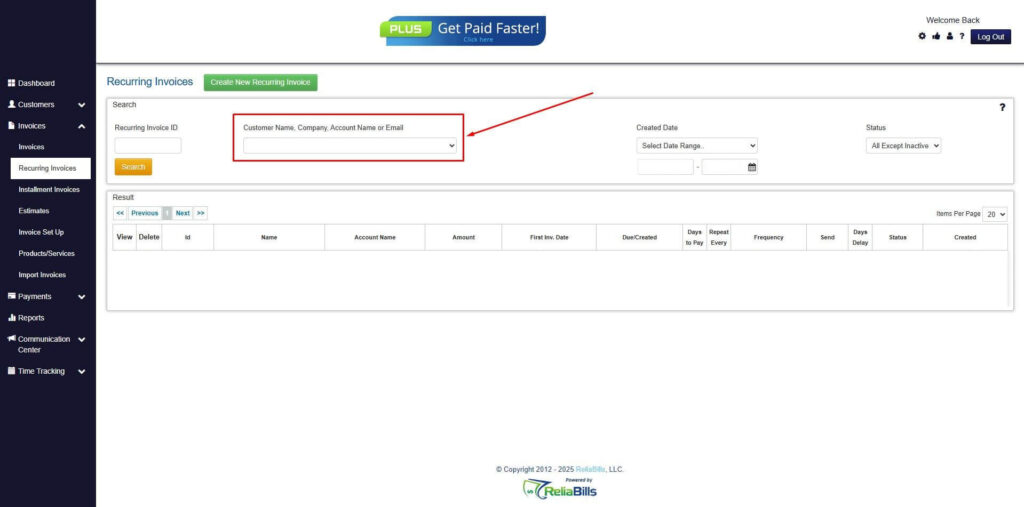
Step 4: Click the Create New Recurring Invoice
- If you haven’t created any customers yet, click the Create New Recurring Invoice to create a new customer.
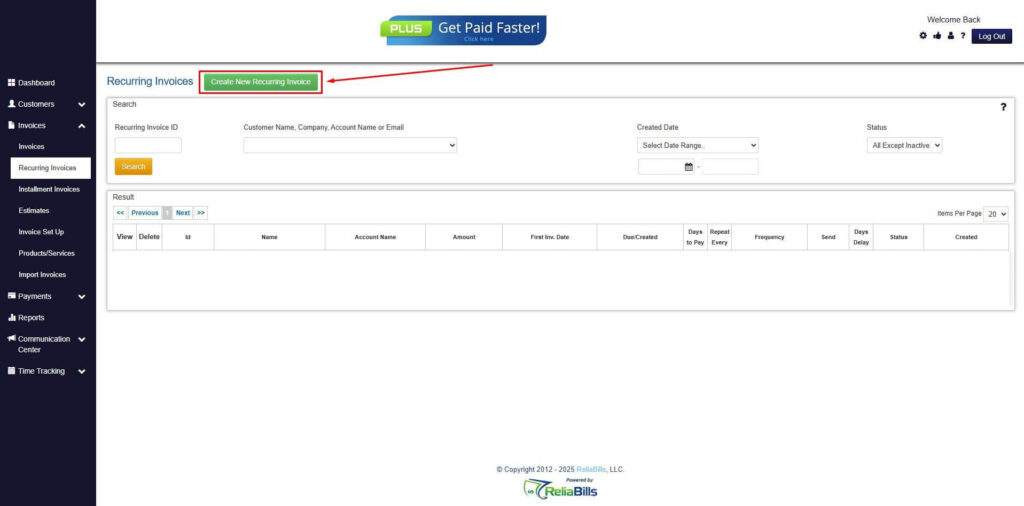
Step 5: Click on the “Click here” Button
- Click on the “Click here” button to proceed with the recurring invoice creation.

Step 6: Create Customer
- Provide your First Name, Last Name, and Email to proceed.

Step 7: Fill in the Create Recurring Invoice Form
- Fill in all the necessary fields.
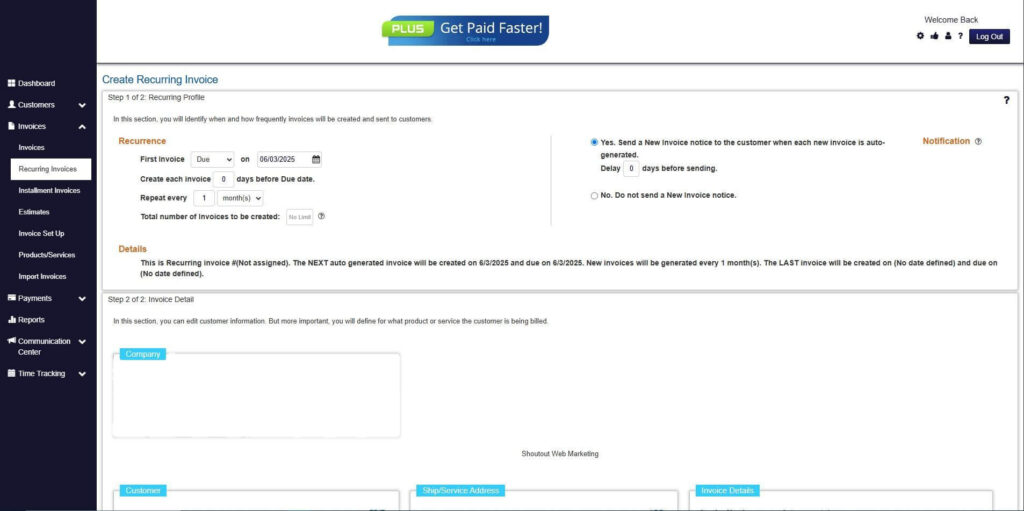
Step 8: Save Recurring Invoice
- After filling up the form, click “Save Recurring Invoice” to continue.
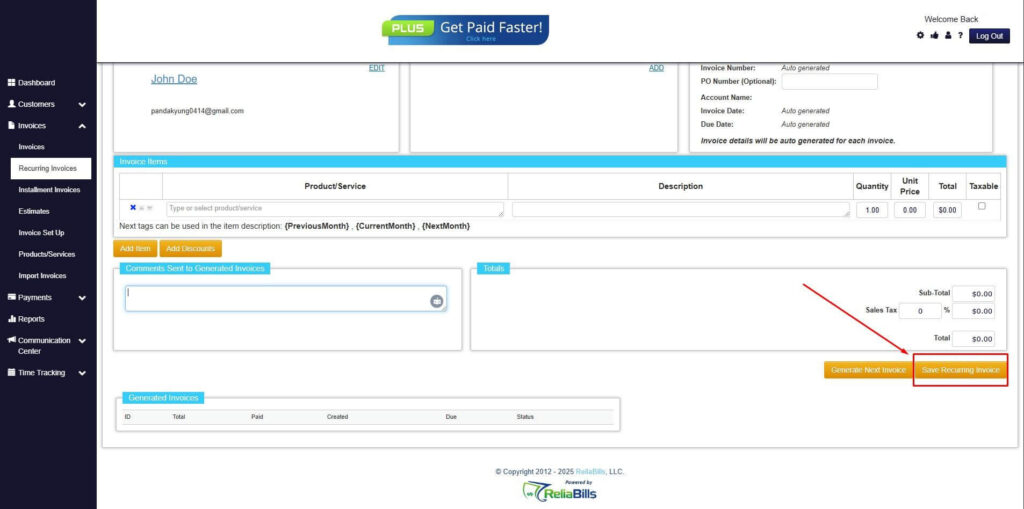
Step 9: Recurring Invoice Created
- Your Recurring Invoice has been created.

Frequently Asked Questions
1. What is the difference between an equipment rental invoice and a rental receipt?
An equipment rental invoice is a request for payment that outlines rental fees, duration, deposits, and any additional charges. A rental receipt, on the other hand, is issued after payment is made and serves as proof of that transaction.
2. When should I issue an equipment rental invoice?
You should issue an invoice before the rental period starts, when extending a rental, when charging for damages, or when adding extra fees like delivery, pickup, or overtime.
3. Do I need to issue a receipt even if I already gave an invoice?
Yes. An invoice is not proof of payment. Once the renter pays, whether partially or in full, a receipt must be issued to document the transaction.
4. What happens if equipment is damaged during the rental period?
You can add a damage fee to the final invoice or issue a supplemental invoice. Documenting damages with photos and inspection notes helps prevent disputes.
5. Can equipment rental invoices be automated?
Yes. A billing platform like ReliaBills automates invoice creation, reminders, recurring billing for long rentals, deposit tracking, and receipts, making rental management much easier and more accurate.
Conclusion
Clear and organized billing is essential in the equipment rental industry. By issuing accurate invoices and receipts, you encourage transparency, minimize disputes, and create a more professional rental experience. Pairing this with automation tools like ReliaBills helps streamline the entire billing process, protect your business, and improve customer satisfaction.